
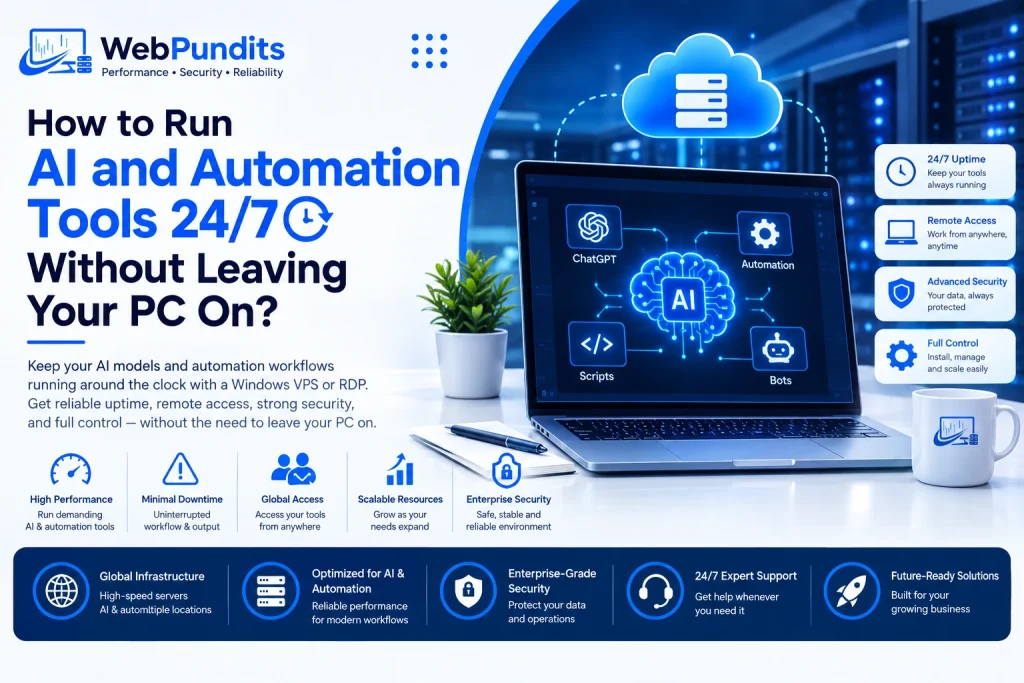
Running an AI tool or automation workflow from your personal computer can become frustrating when it needs to stay active around the clock. The moment your PC goes to sleep, loses its internet connection, restarts for an update, or gets switched off, the task may stop running.
Keeping a computer powered on day and night can also increase electricity use and leave your main device tied to a task that could run somewhere else.
WebPundits provides remote server and VPS solutions that can help users move these workloads away from their everyday computers. For many users, AI tools on VPS can provide a way to keep applications and automated workflows running remotely without requiring their home or office PC to remain switched on.
What Happens When Your Automation Depends on Your PC?
Local automation works by using the computing resources available on your own machine. An automation platform, browser bot, script, or AI application needs the operating system, memory, processor, and internet connection to remain available while the task is running.
That creates a simple problem. If the computer stops working, the automation usually stops with it.
Sleep mode is another common issue. Windows can pause applications and network activity when a computer enters sleep mode. A restart can also close programs that were running in the background. Even a temporary internet outage can interrupt a workflow that depends on a continuous connection.
Running a computer 24/7 can also create unnecessary energy use when its main purpose is to keep a background process active.
Why does this happen?
The main reason is local compute dependency. Your automation is running directly on your computer, so the task depends on that machine being available.
Common problems include:
- The PC enters sleep mode during an unattended task.
- Windows updates restart the machine.
- A power cut shuts down the computer.
- Home internet connectivity drops.
- Another application consumes available CPU or RAM.
- A browser session closes and interrupts the workflow.
For a task that needs to run for several hours or days, these interruptions can make local automation difficult to manage.
Why Can a Cloud Server Keep Automation Running?
A VPS changes where the workload is running. Instead of relying on your personal computer, the app runs on a remote server which stays connected to the internet. This approach is also useful for businesses that rely on VPS infrastructure for modern businesses to keep digital workloads available.
Consider this to be an additional computer in a data center. You can remotely access the computer from your laptop/desktop while the apps running on the computer keep working even when your personal computer is turned off.
It is handy when you need a 24/7 AI automation service that would need to monitor some data, process requests, schedule some actions, or be ready to perform some tasks.
Cloud automation server also helps you to isolate your work processes from your personal computer. You can browse the Internet, make documents, attend meetings and perform other tasks using your PC while the automation will be working in the remote environment.
There is also no need to keep your personal computer powered on simply to keep the automation alive. The electricity used to operate the remote server is handled within the data center infrastructure rather than by your home or office computer.
What AI and Automation Tasks Can Run on a VPS?
A large variety of automated processes can run on a remote server, if the necessary OS and dependencies are available in the software.
n8n Workflows
n8n enables you to integrate different apps and services to build workflows. A VPS allows for keeping your scheduled workflows running without being dependent on your PC.
This can include:
- Automated notifications
- Data transfer between apps
- Processing API data
- Scheduled processes
- Event-based actions
Playwright Browser Bots
Playwright can automate browser actions for testing, data collection, monitoring, and other repetitive processes. Running these tasks remotely can allow browser sessions to continue without keeping your own PC active.
Users who need to automate tasks on Windows VPS can configure their required software and browser environment on a remote Windows machine, then access it whenever they need to check the process.
AutoGPT-Style AI Agents
AI-based agents can execute task sequences according to their instructions, tools, and any information obtained from outside. Certain processes might require staying online for extended periods, particularly if they depend on any schedule or outside service.
The VPS could serve as the host platform for keeping these applications running, provided that the server has sufficient CPU, memory, hard drive space, and other necessary resources.
Crypto Price Alerts
Certain scripts can watch the market data through APIs and issue alerts whenever certain criteria are met. The monitoring process could go on while the user’s computer is not connected.
These examples show why moving automation away from a personal computer can be useful for long-running workflows.
What Should You Check Before Choosing a VPS?
The right server depends on what you plan to run. A lightweight automation script has very different requirements from multiple browser sessions or an AI application running several processes at the same time.
How much RAM will your automation need?
RAM influences the number of programs that can be run simultaneously. Browser automation will use up considerable amounts of memory, especially if there are multiple instances opened.
Firstly, check the requirements of the software; then you can allocate additional memory to the operating system and other running tasks.
Do you need Windows?
While some applications are compatible with various operating systems, others will only run on Windows OS. It is important to verify the OS before choosing the server if you use Windows-only applications for automation.
Users comparing AI automation VPS hosting should also look at CPU resources, storage, network performance, and remote access options instead of focusing on memory alone.
Does server location matter?
The location of the server is also crucial since it may have an effect on network latency and how long it will take for request processing between the server and external servers. In case you have heavy interaction with US servers, it may be worth choosing USA VPS from Web Pundits.
What about remote access?
Remote access allows you to log into the server even if you do not have physical access to the machine. The RDP protocol is often used for remote workstations based on the Windows platform due to its desktop interface which can be accessed from another computer.
In case you need a remote workstation on the basis of Windows, you can buy RDP online and control the applications, process list, and configurations through the remote desktop software.
How Can You Set Up a 24/7 Automation Environment?
Once the server is selected, the basic setup can be kept fairly simple.
Firstly, install the OS and necessary software. Secondly, configure the automated process, the API, browser settings, scripts, or the AI app.
Conduct several tests before letting the workflow go on its own. See whether the application is active after logging out from the remote session. Also, check the CPU and RAM usage of the application.
It is also useful to configure automatic startup where the software supports it. This can help an application restart after an unexpected server reboot.
According to Web Pundits, most automation users underestimate idle compute costs by 40% when running locally vs. on a VPS. The larger point is that keeping a personal computer running for a background process can make less sense when the same workload can operate remotely.
Is Moving AI Automation to a VPS Right for You?
A VPS can be useful when an automation workflow needs to stay active for long periods without relying on your personal computer.
It makes sense if you have any scheduled workflows, browser automation, monitoring scripts, AI agents, or other background applications running. You also get the ability to remote into the environment when changes and progress checks are necessary.
A local computer may still be appropriate for quick tasks, testing, developing, and applications with specific hardware requirements. The key is matching the computing environment to the workload.
Ready to Run Your AI Workflows 24/7?
Your AI workflows do not need to depend on your personal computer staying switched on. A VPS gives your automation a remote environment where workflows, browser bots, scripts, and AI tools on VPS can continue running while you use your own device for other tasks.
WebPundits provides VPS and remote server solutions for users who need reliable access to their applications from anywhere. Move your automation to a dedicated remote environment and keep your workflows running even when your PC is offline.
Take your AI automation beyond your personal computer with WebPundits and give your workflows the always-on environment they need to keep running around the clock.
FAQs
Can AI tools run 24/7 on a VPS?
Yes. There are several AI technologies and tools which can be operated on a VPS if the requirements of that particular technology or tool are met by the VPS.
Do I need to keep my computer switched on when using a VPS?
No. The application operates from the remote server; hence, your local machine can be shut down once the necessary software and workflows are in place.
Can I run n8n on a VPS?
Yes. n8n can be hosted on a remote server and used to run scheduled workflows and integrations. The required setup depends on the workflow and supporting services.
Is a VPS suitable for browser automation?
It can be. Tools such as Playwright can run in a remote environment when the server has sufficient resources and the required browser and software dependencies are installed.